
Summary
Here's a glimpse of the features we've introduced this year so far:
- eProposal enhancements: Custom brand styles, Email verification + eSignature, and other eProposal updates.
- RFP automation: Turn incoming RFPs into ready‑to‑send proposals in a single click.
- Salesforce integration: Let the Salesforce + MeetingPackage integration do the heavy lifting for you.
- Other updates
eProposal enhancements
Custom brand styles
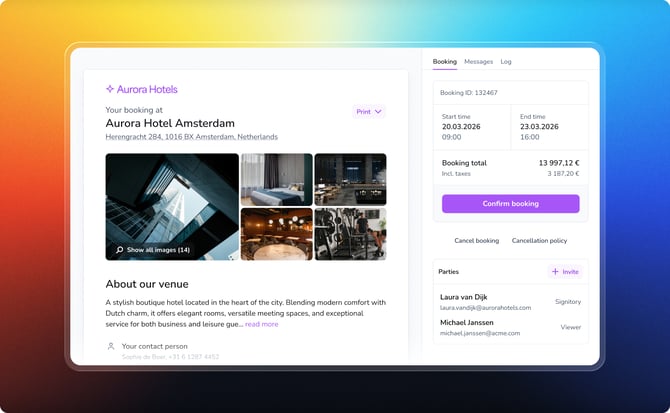
When a proposal lands in a customer’s inbox, it’s often the first real “tour” of your venue. If it looks generic or off-brand, it can blur you into the background and create a fragmented experience.
With MeetingPackage eProposals, your proposals don’t just talk business—they speak your brand’s language. Add your logo, set your fonts, and lock in your colors by defining brand styles once in the system, then let every eProposal look sharp.
Why you'll love it:
- Every proposal looks unmistakably like it came from your hotel, not “some random venue.”
- Your communication feels polished and aligned with your website and other sales materials.
- Customers instantly recognize who it’s from, which builds trust and credibility before they even start reading.
As a result, every eProposal feels like a seamless extension of your hotel’s brand—never like a bland, third-party document that snuck in through the side door.
Read more about brand styles.
Email verification + eSignature
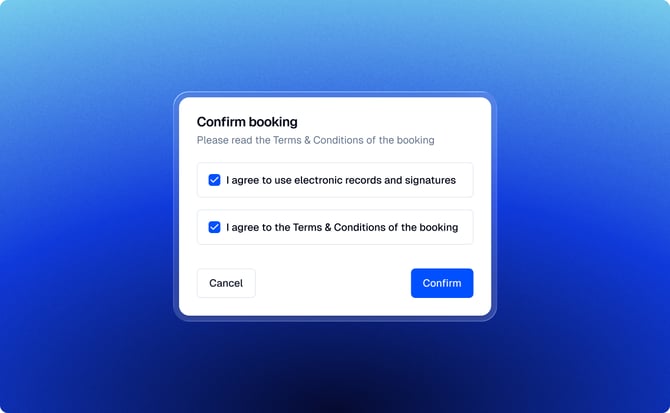
MeetingPackage adds an extra layer of security and legal peace of mind to eProposals with built‑in email verification and eSignature. No detective work or paperwork chase required.
Why you'll love it:
When a customer confirms a booking via an eProposal, that click doubles as a legally binding agreement, so you can skip sending a separate contract and get straight to “booking confirmed.”
- The customer verifies their email before confirming the booking
- Booking confirmation serves as acceptance of the proposal terms
- A signed eProposal PDF is automatically generated upon confirmation
The signed eProposal PDF is available for download both in Supplier Order Management (SOM) and directly from the eProposal view. This provides a clear audit trail and a legally valid document for both the venue and the customer.
Read more about eSignature.
Other eProposal updates
eProposals were already humming along nicely, but we couldn’t resist tuning them up even further. Here’s what’s new in the eProposal feature:
- RFP automation: Auto-generate proposals from incoming RFPs. Learn more.
- PDF download for both sides: export the current or signed eProposal as a clean PDF whenever needed.
- View eProposal as a customer: venues can see the proposal exactly through the customer’s eyes—spotting hiccups before they do and keeping everything crystal clear from first click to final signature. Learn more.
- Danish language added: Vores eProposal taler nu dansk 😊 ...now you can select email and eProposal to be in Danish as well. Learn more.
- Venue welcome message / general booking information
- “Sender” of eProposal
- Line item and bedroom notes
We’ve given eProposals a proper polish so proposals are easier to read, track, and sign off on. The mission: send a complete, consistent offer on the first try (no messy follow-ups) while giving both you and your customer crystal-clear visibility into what’s on the table.
RFP Automation
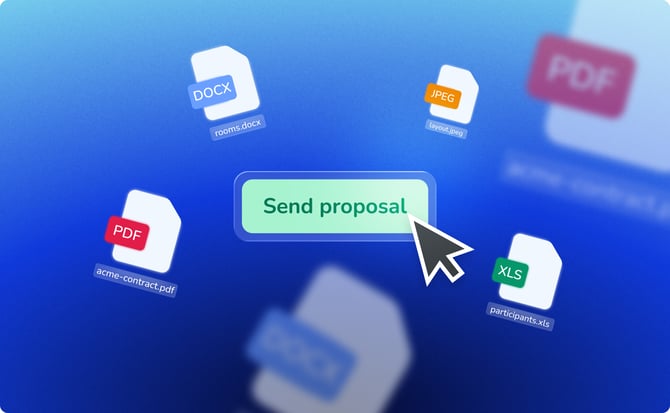
RFP Automation in MeetingPackage lets suppliers turn incoming RFPs into ready‑to‑send proposals in a single click—no more wrestling with spreadsheets or copy‑paste marathons.
Why you'll love it:
Instead of building proposals line by line, the system scans the RFP’s agenda, attendee numbers, availability, and catalog data, then auto‑builds neatly structured event, meeting room, and accommodation line items while you sit back and sip your coffee.
- The system analyzes RFP agenda items and guest room requirements
- Matching catalog items, spaces, room types, and seating orders are selected automatically
- Event, meeting room, and accommodation line items are created instantly
RFP Automation reduces manual work, improves accuracy, and shortens response times, allowing venues to focus on refining the offer and winning more business.
RFP Automation checks meeting room and bedroom availability instantly across all our S&C and PMS integrations, a perfect feature for hotels with high volume Cvent leads, making response times go from hours to seconds.
Learn more about RFP Automation.
Salesforce integration
Many of our customers run on Salesforce, so of course, we had to make friends with it. Keep your sales data in sync, retire the art of double-keying, and let the Salesforce + MeetingPackage integration do the heavy lifting for you.
-
Account/company data to Salesforce Accounts
-
Contact data to Salesforce Contacts
-
RFP/Booking data to Salesforce Opportunities.
Why you'll love it:
You can search Salesforce-based contacts and account data from the MeetingPackage user interface while operating in supplier order management.
To prevent data integrity issues, we made it explicit in the journey that external accounts/contacts would be saved in MeetingPackage first, and then the booking flow would be unlocked.
Learn more about the Salesforce integration.
Other updates
Provisional hold date for My Bookings and internal reporting:
When you download your My Bookings list, you’ll now see the Provisional Hold Date right in the sheet. That means you can instantly spot when offers are expiring, instead of playing calendar detective. And because you wanted richer internal reporting, we’ve refreshed the Provisional Hold Date there as well—giving you clearer visibility into expiring offers.
Stay tuned: even more data superpowers are on the way for this feature.
Customer notes for bedroom line items:
You can now add a customer note to bedroom line items that appears right in the eProposal. It neatly captures preferences and special requests, reduces back-and-forth emails, and helps your team deliver a stay that feels less like a “standard room” and more like a “tailored experience.”
Learn more about custom and customer notes.
New sub statuses:
We introduced the new Awarded and Actualized statuses under Confirmed to give venues clearer visibility into the true lifecycle of a booking, enabling more accurate revenue tracking, forecasting, and post-event reporting.
You can enable the new statuses under Organisation / Booking status.
MeetingPackage Distribution API Documentation:
The Distribution API enables approved partners to connect directly with MeetingPackage and submit RFPs, availability requests, and bookings in a standardized, automated way. Instead of manual emails, spreadsheets, or custom integrations, partners can integrate once and send structured data that automatically maps to each venue’s PMS and S&C configuration.
Learn more about API documentation.
RFPs support for VenueDirectory integration:
VenueDirectory just got promoted from “instant booking only” to a full‑service demand channel—with RFPs now on the menu. Agents booking group business through VenueDirectory can now send RFPs straight to MeetingPackage customer hotels.
Wrapping up
That's it for the first product update of 2026. Thank you for being part of our journey of continuous improvement. These features are designed to make your business operations smoother, more efficient, and more enjoyable.
As always, we're eager to receive your feedback, ideas, and questions. We wish you a great spring, and we will see you in the next update! 🌟
P.S. Not a MeetingPackage customer yet?
Start a Free Trial or Contact Sales