
Here's a short recap of the latest product updates...
- eProposals parties – Helps corporate clients get the right approvers in the room so deals jump from proposal to signature faster
- Custom seating order – Set your perfect seating plan once, then enjoy faster, sharper proposals and availability checks.
- Workflows - Gives customer-specific data input a fast lane and a dress code
- Predefined filters in order management – Stop doom-scrolling through data and jump straight to what matters
- MeetingPackage Performance Insights Report – Faster, sharper reporting that turns your group sales data into “aha!” moments for smarter decisions
- Other updates you love
- Add multiple documents to your eProposals
- More accurate logs to see who did what and when
- eProposals are now in Portuguese - Obrigado
- Language selector added for group request form
- RFP Automation tweaks – match your favorite space with catalog items
- Add service time to your F&B items
- Customer notes to packages
- Set your security-level for eProposals
- Integrations updates
- Opera/OSEM: Cancelation reasons from OSEM to MeetingPackage
- Opera/OSEM: Support now custom seating style
So let’s roll up our sleeves and peek under the hood of what the team has built lately.
eProposal parties
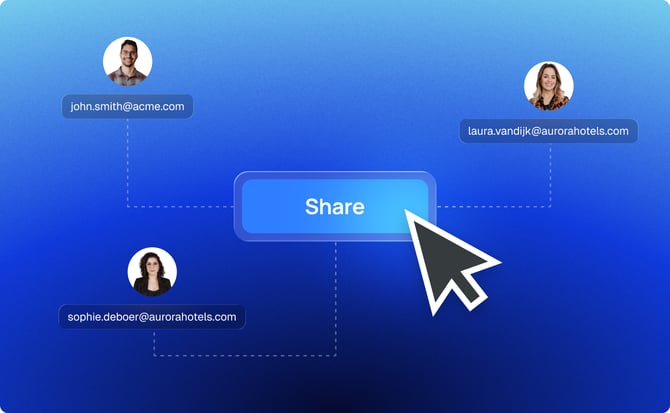
Why send an eProposal to one person when you can include the whole party? This update lets you add multiple recipients to an eProposal. CC your client’s co-planner, boss, or anyone else who needs in on the action. All stakeholders get the proposal simultaneously, ensuring everyone stays in the loop (and you don’t have to forward emails later). Cheers to that!
Learn more about eProposal parties →
Custom seating orders
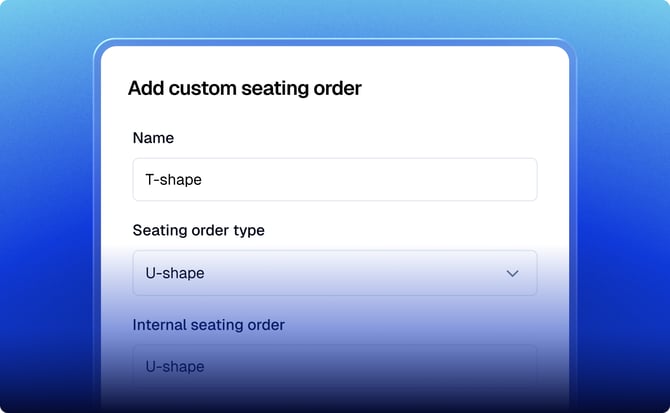
One size doesn’t fit all, and neither do one-size-fits-all seating charts. Venues can now define custom seating orders (layouts) and their capacities, which the system will use when checking availability. The upshot? More accurate availability results that reflect your unique room setups – no more generic capacity assumptions, just the real deal tailored to your venue.
Learn more about custom seating orders →
Workflows
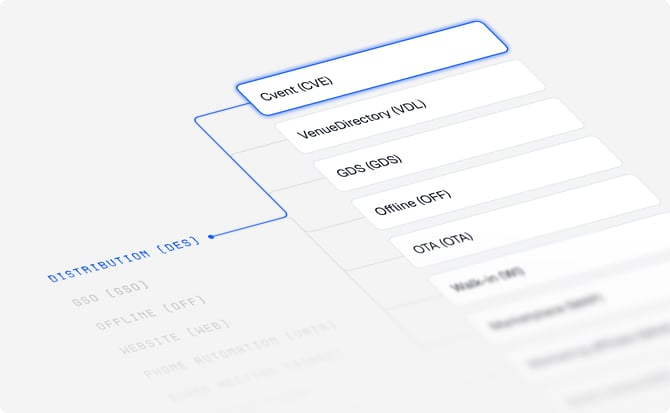
Meet your organization’s new command center for workflows. Here, you can see and configure how data such as lead sources and market segments get automatically filled when business is pouring in. It gives you a bird’s-eye view and control of your sales pipeline – ensuring nothing falls through the cracks as you manage deals.
Predefined filters in order management
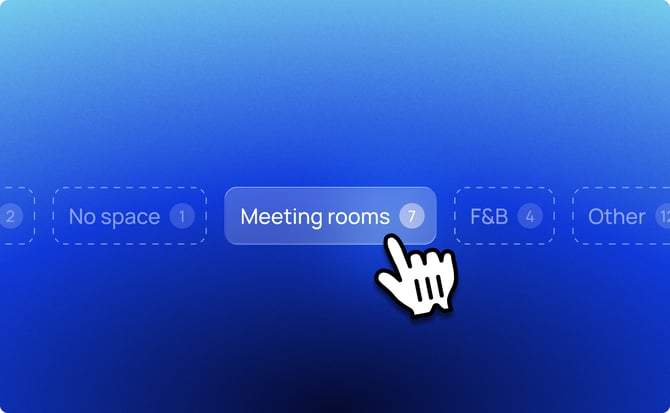
No more fiddling with filter menus for your favorite views – Order management now comes with handy predefined filters. With one click, you can narrow your booking or task list to common needs (like “No revenue” or “F&B”) without setting criteria every single time. It’s a shortcut to efficiency, helping you find exactly what you need in record time.
Learn more about predefined filters→
MeetingPackage Performance Insights Report
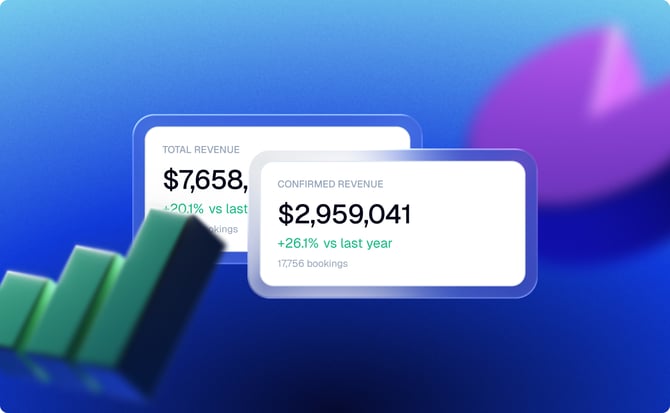
The days of digging through scattered data sources are over. We’ve built a centralized data warehouse that pulls together information into one clean, analytics-ready environment.
The payoff is straightforward: you now get clear, unified visibility into how your venues are actually performing. No more piecing together reports or guessing what’s working. Just one source of truth to track performance, spot trends, and make decisions that move revenue in the right direction.
Learn more MeetingPackage Performance Insights Report →
Other awesome product updates
Update Order Management (OM) to accept multiple documents
The OM was a one-document-at-a-time kind of deal, but not anymore. We’ve opened it up to a whole file family! You can now upload multiple documents (think custom T&Cs plus any supporting PDFs) in one go.
The benefit? All relevant info travels together, so suppliers can bundle contracts, brochures, and more without breaking a sweat or sending extra emails.
Learn more about attaching documents →
More action logs add transparency
Ever wonder who changed that booking from “Tentative” to “Confirmed”? Now order management has your back. Every status change is automatically logged. It’s like leaving breadcrumbs in the audit trail – bringing you full transparency and no more head-scratching mysteries about who did what, when.
Hitting “send” on an eProposal shouldn’t feel like launching it into a black hole. With this update, each time you send an eProposal, order management notes it in the logs. You get a clear record of when proposals were sent and to whom – reassuring you (and your team) that yes, the proposal indeed left the building.
Language selection to the Group Request page:
The Group Request page just became a polyglot. We added a language picker so international customers can submit group booking requests in their preferred language. Whether it’s English, Español, or Português, users get a smoother experience – no translation mishaps, just clear communication from the first click.
Learn more about Group Request →
Portuguese to the eProposal language list:
Bom dia! Portuguese has joined the eProposal party. You can now send proposals in Portuguese, catering to Lusophone clients with native-language professionalism. It’s all about making every guest feel at home – and if home speaks Português, we’ve got you covered.
Service times improvements for OM items:
We gave the order management page a crash course in punctuality. Service items (like catering or equipment bookings) now handle time slots much more gracefully. You can schedule multiple service times or adjust durations without the system throwing a fit. In short, events run smoother because the tech now understands that coffee breaks at 3pm should actually happen at 3pm (and not, say, default to all-day!).
Customer notes to packages:
Ever wish you could slip a personal note into a package description? Now you can. Venues can add a “customer note” to their packages – a short message visible to the customer. It’s perfect for highlighting special perks (“Includes free parking!”) or important details (“Vegan options available upon request”). This little note goes a long way in making your packages clearer and more enticing.
Learn more about Customer notes →
Catalog item space match for RFP automation:
Our RFP automation got smarter at playing matchmaker. When an RFP comes in, the system will automatically match agenda items with the best-fit catalog items and even assign a suitable room (space) if available. You define the perfect pair of room and service items. Think of it as an automatic puzzle solver – it picks the right room for a lunch or meeting based on what’s requested. Less manual assigning for you, and faster proposals for everyone.
Enhanced security configuration for eProposal:
Consider this our “fortify the castle” update. We tightened the security configurations for eProposals. You define what level of security is enough for you. This includes stricter access controls and stronger data protection across the board. For example, with strict security level rules ,your customers are required to give a login code to view the eProposal.
Learn more about eProposal security options→
Cancellation email
Canceling a booking just got a bit more… considerate. We’ve added a “Inform customer of the cancellation” checkbox, so you can decide whether to notify the customer when pulling the plug.
No more accidental ghosting—or awkward follow-ups. You stay in control of the communication, choosing when to send a clear message and when to keep it internal. Small checkbox, big impact on customer experience.
Learn more about cancellation email →
Opera/OSEM integration updates
Cancellation reasons now flow neatly from OSEM into MeetingPackage, so your sales analysis stops guessing and starts knowing. And with custom seating styles synced between MeetingPackage and Oracle, setup is less “manual gymnastics” and more “click, done.”
Learn more about Opera/OSEM integration →
Wrapping up
This release focuses on the little things that make a big difference: clearer workflows, smarter automation, better logging, and a few new features that remove friction from everyday tasks. From improved OM usability to stronger eProposal capabilities and more control for admins, the goal is simple — fewer manual workarounds and more time spent actually closing business.
In other words: less clicking, fewer mysteries in the logs, and a booking flow that behaves the way you’d expect. More improvements are already cooking, so stay tuned.
P.S. Not a MeetingPackage customer yet? Start a Free Trial or Contact Sales